Documentation Index
Fetch the complete documentation index at: https://mintlify.com/Gaurav-Gosain/tuios/llms.txt
Use this file to discover all available pages before exploring further.
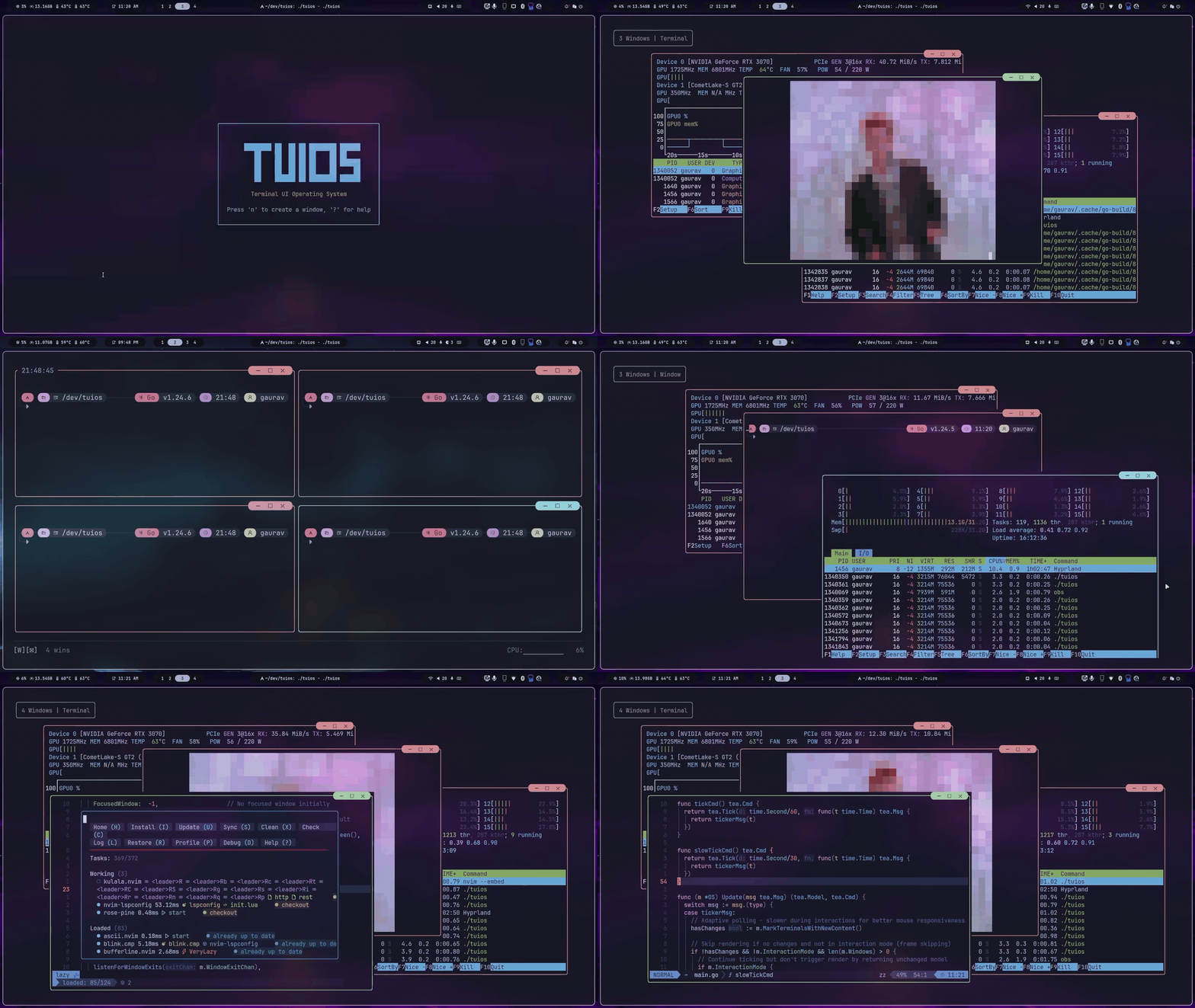
What is TUIOS?
TUIOS (Terminal UI Operating System) is a terminal-based window manager that provides a modern, efficient interface for managing multiple terminal sessions. Built with Go using the Charm stack (Bubble Tea v2 and Lipgloss v2), TUIOS offers a vim-like modal interface with comprehensive keyboard shortcuts, workspace support, and mouse interaction. Think of it as tmux meets a modern window manager - with the power of vim’s modal editing, the organization of workspaces, and the polish of a desktop environment, all in your terminal.Get Started
Install TUIOS on macOS, Linux, or Windows with package managers or pre-built binaries
Quick Start
Learn the essential keybindings and start managing terminal windows in 5 minutes
Key Features
9 Workspaces
Organize windows across independent workspaces. Switch with Alt+1-9 and move windows between them seamlessly.
BSP Tiling
Binary Space Partitioning with automatic spiral layout. Create horizontal/vertical splits, control where new windows spawn, and resize with precision.
Vim-Style Copy Mode
Navigate 10,000 lines of scrollback with vim keybindings. Search, select, and copy text without touching the mouse.
Tape Scripting
Automate workflows with a simple DSL. Record live sessions, replay them interactively, or run headless in CI/CD.
Session Persistence
Daemon mode provides persistent sessions with detach/reattach. Window positions, workspaces, and terminal content are preserved.
Remote Access
SSH server mode for remote terminal multiplexing. Web terminal mode (tuios-web) provides browser-based access with WebGL rendering.
Modal Interface
Vim-inspired modes: Window Management for navigation and Terminal Mode for direct input. Switch contexts without keyboard conflicts.
Customizable
TOML configuration with full keybinding customization. Support for Kitty keyboard protocol, custom themes, and extensive UI options.
Why TUIOS?
Powerful Window Management
Unlike traditional terminal multiplexers, TUIOS provides true window management:- Drag, resize, and snap windows with mouse or keyboard
- Automatic tiling with BSP algorithm or manual floating mode
- Visual feedback with borders, shadows, and smooth animations
- Edge-based snapping (drag to screen edges for instant layouts)
Workspace Organization
Manage complex workflows with 9 independent workspaces:- One workspace for development, another for monitoring, another for documentation
- Windows stay organized and out of sight until needed
- Move windows between workspaces or switch workspace while staying in terminal mode
Vim-Powered Navigation
If you love vim, you’ll feel at home:- Modal interface prevents keybinding conflicts
- Copy mode with h/j/k/l navigation, search (/ and ?), and text selection
- Familiar prefix key system (Ctrl+B like tmux, fully customizable)
- 100+ configurable keybindings
Automation-First Design
Tape scripting brings automation to terminal workflows:Modern Performance
Built with performance in mind:- Smart style caching (40-60% allocation reduction)
- Viewport culling for off-screen windows
- Adaptive refresh rates (60Hz focused, 30Hz background)
- Memory pooling for strings, buffers, and styles
- Works smoothly with dozens of windows
Architecture
TUIOS is built on battle-tested technologies:- Bubble Tea v2 - Event-driven TUI framework with Model-View-Update pattern
- Lipgloss v2 - Terminal styling and layout engine
- go-pty - Cross-platform PTY interface for true terminal emulation
- Wish v2 - SSH server framework for remote access
- Vendored VT emulator - Complete ANSI/VT100 terminal emulation
- Window Manager (internal/app/os.go) - Central state and workspace orchestration
- Terminal Emulation (internal/vt/) - ANSI parser with scrollback
- Rendering Engine (internal/app/render.go) - Layer composition with viewport culling
- Input System (internal/input/) - Modal routing and configurable keybindings
Use Cases
TUIOS excels at managing complex terminal workflows where you need multiple sessions organized and accessible.
- Editor in one window, test runner in another, logs in a third
- Separate workspaces for different projects
- Tape scripts to set up your entire dev environment
- Monitor multiple servers in different windows
- Keep production and staging in separate workspaces
- SSH server mode for remote administration
- Tape scripts for deployment automation
- Headless execution for automated testing
- Record workflows and share them as documentation
- Full mouse support when you want it, pure keyboard when you don’t
- Showkeys overlay for presentations and screencasts
- Customizable themes and border styles
What’s Next?
Installation
Install TUIOS with your preferred package manager or build from source
Quick Start Guide
Get up and running with essential keybindings and workflows
Community
TUIOS is open source and actively developed:- GitHub: Gaurav-Gosain/tuios
- License: MIT
- Built by the community with contributions welcome