Shades of Purple
Shades of Purple is a professional color theme carefully designed to reduce eye strain and improve code readability. With over 5 million developers using it worldwide and 175 five-star ratings, it has become one of the most loved themes in the VS Code marketplace.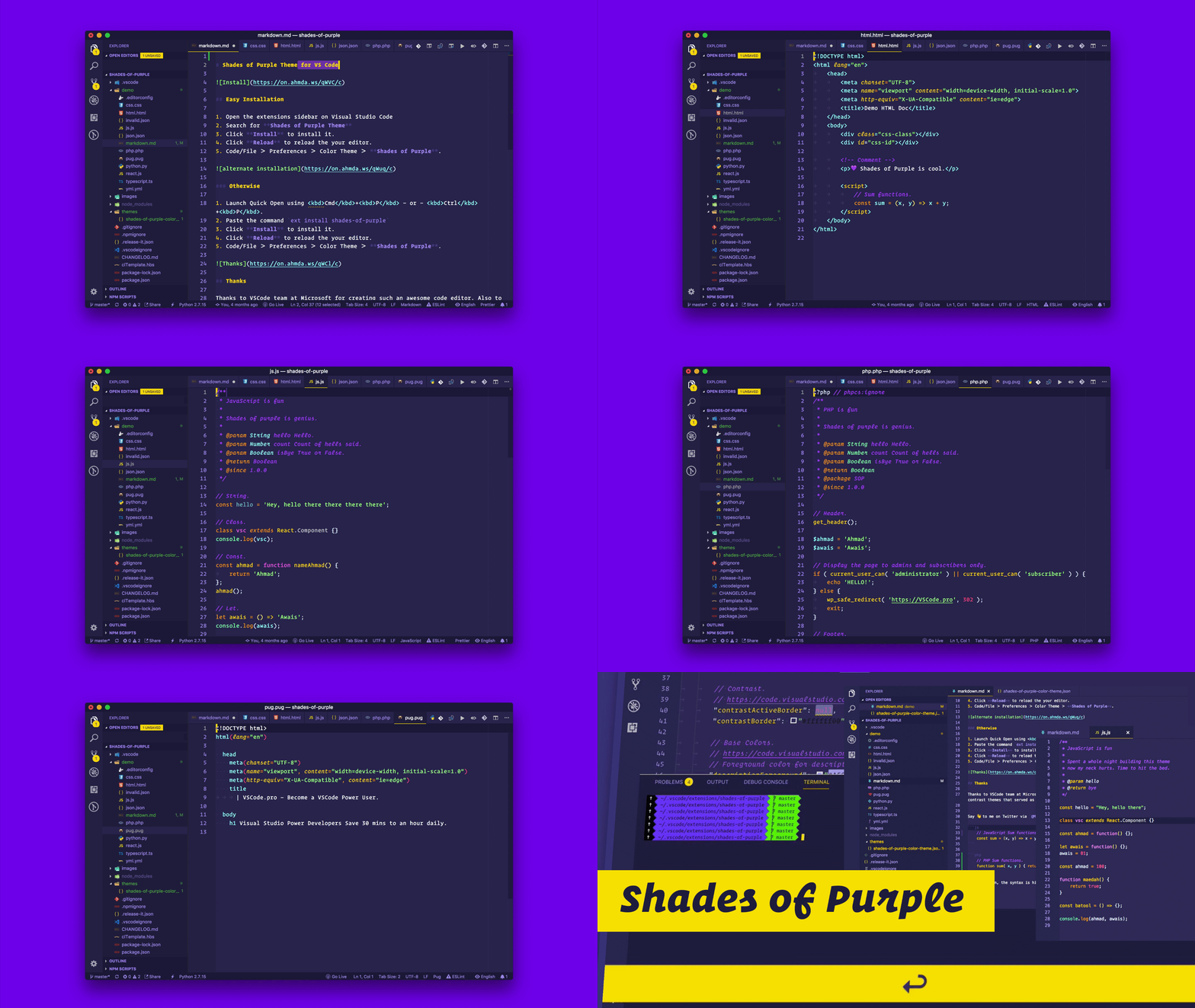
Why Shades of Purple?
Developers around the world choose Shades of Purple for their daily coding because it delivers an exceptional experience that goes beyond just aesthetics.Easy on the eyes
Carefully selected color palette optimized for long coding sessions without eye strain
Comprehensive language support
Beautiful syntax highlighting for 50+ programming languages including JavaScript, Python, PHP, Go, and more
Perfect for presentations
High contrast design that stands out on screen recordings and live coding sessions
Regular updates
Continuously improved with support for the latest VS Code features including Copilot Chat and diff colors
What makes it special
Hand-picked color palette
Every color in Shades of Purple has been carefully selected to work together harmoniously. The purple tones provide a unique, eye-catching aesthetic while maintaining excellent readability for all syntax elements.Trusted by millions
With over 5 million users worldwide, Shades of Purple is one of the most downloaded themes on the VS Code marketplace. The theme has earned 175+ five-star ratings from developers who love it.Built for productivity
The theme’s color choices help you focus on what matters. Important syntax elements stand out clearly, while comments and secondary elements fade into the background just enough to reduce visual noise.Free and open source
Shades of Purple is completely free to use and open source under the MIT license. You can use it in personal projects, commercial work, and even fork it to create your own variant.What developers say
“A gorgeous, high contrast theme that stands out without getting in the way. Especially great for doing developer talks and screencasts.”— Shawn Swyx Wang, Latent Space, AI Engineer
“In my 18+ years of coding experience, this is by far the most pleasing theme I’ve ever used in an editor (or any application for that matter).”— Muneeb Karim
“I’m coding more and my productivity has skyrocketed. This theme makes it very easy to focus on the things that matter.”— Raju Mandapati
“Once you switch to this theme you’ll never switch back. There’s nothing quite like it.”— Kim Takala
Recent updates
Shades of Purple receives regular updates to support the latest VS Code features:- Diff colors for better code comparison visibility
- Copilot Chat support with optimized colors
- Shades of Purple (Super Dark) variant in BETA
- Improved merge conflict highlighting
- Enhanced TypeScript syntax support
Get started
Ready to transform your coding experience? Start with these guides:Installation
Install Shades of Purple in under a minute
Quick start guide
Get up and running with recommended settings
Color palette
Explore the complete color reference
Recommended settings
Optimize your VS Code setup
Beyond VS Code
Love the theme? Take Shades of Purple to your entire development workflow with matching themes for:- Terminals: iTerm2, Hyper, Alacritty, Konsole, Ghostty
- Syntax highlighters: HighlightJS, Prism, Code Surfer
- Apps: Google Chrome, Alfred, Slack, WordPress
Created by Ahmad Awais and Maedah Batool. Licensed under MIT.