ChromoLog (and its companion package ChromoLogger) are Python libraries that enhance terminal output by adding color to log messages, making it easier to distinguish log levels at a glance during development and debugging. This page covers the CDN-hosted assets for both packages — including logos, an animated usage demo, and web page preview screenshots — all delivered via jsDelivr from theDocumentation Index
Fetch the complete documentation index at: https://mintlify.com/tutosrive/images-projects-srm-trg/llms.txt
Use this file to discover all available pages before exploring further.
tutosrive/images-projects-srm-trg repository.
Tool Overview
Python’s built-inlogging module produces monochrome output, which can make it difficult to spot warnings and errors in a busy terminal. ChromoLog and ChromoLogger solve this by coloring log output according to severity level, giving developers an immediate visual signal without requiring changes to existing logging calls.
The two packages share the same goal but are maintained as separate releases — chromolog at version v0.2.5 and chromologger at version v0.1.9 — each with their own versioned logo asset. The asset repository includes a live demo GIF showing colored log output in a terminal, as well as screenshots of the packages’ dedicated web pages.
Available CDN Assets
All assets below are served via jsDelivr at the base URL:https://cdn.jsdelivr.net/gh/tutosrive/images-projects-srm-trg@main/
| Asset | File Path | CDN URL |
|---|---|---|
| ChromoLog Logo (WebP) | modules/chromalog_logo.webp | Link |
| ChromoLog Versioned Logo | dev2forge/logos/chromolog-v0.2.5.webp | Link |
| ChromoLogger Versioned Logo | dev2forge/logos/chromologger-v0.1.9.webp | Link |
| Demo GIF | modules/chromolog.gif | Link |
| ChromoLog Web Page Preview | modules/chromolog-webpage.png | Link |
| ChromoLogger Web Page Preview | modules/chromologger-webpage.png | Link |
ChromoLog Demo
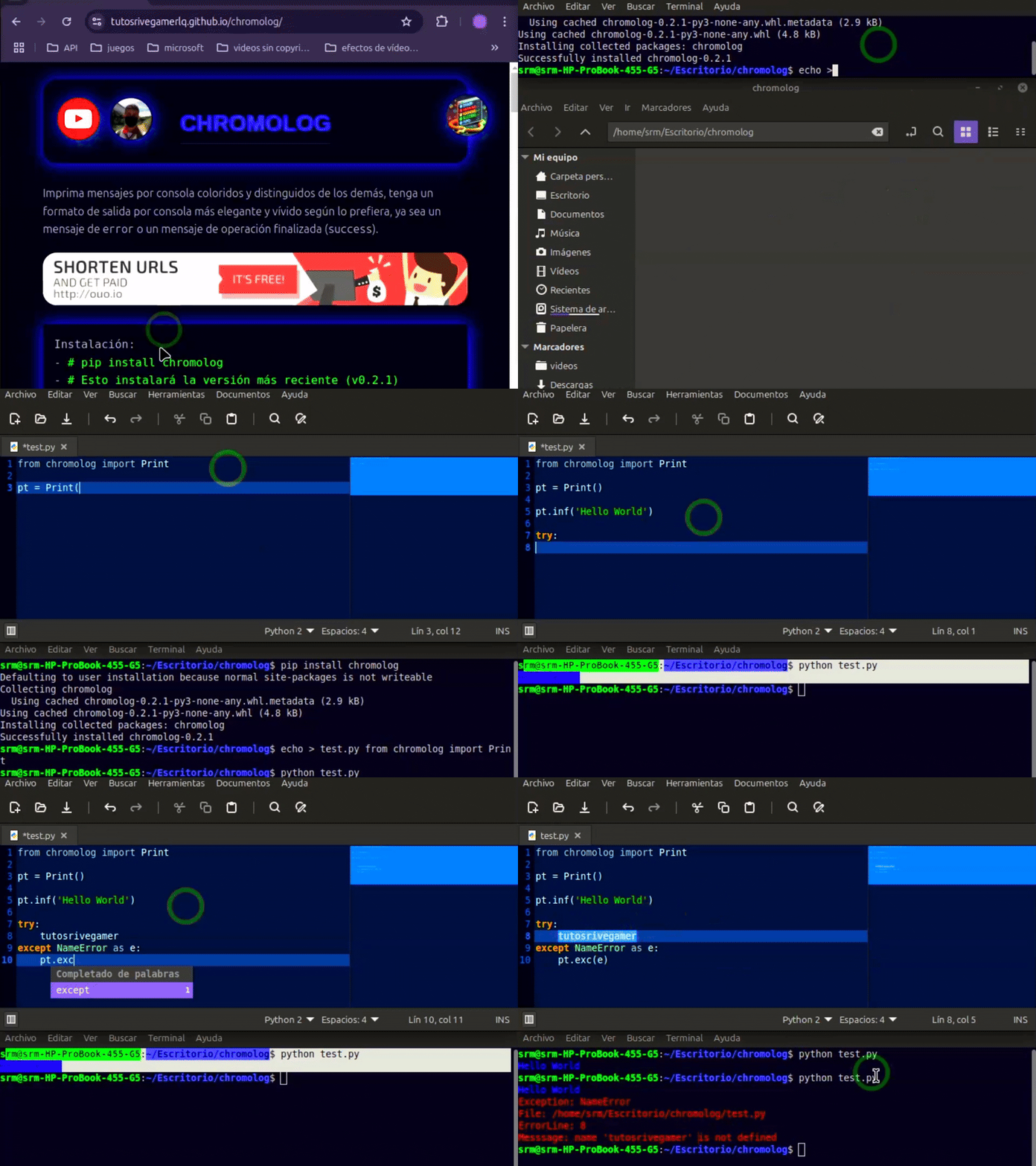
ChromoLog Web Preview

Usage Examples
Embed ChromoLog logos and the demo GIF in project READMEs, release notes, or HTML documentation pages using the CDN URLs below.The
modules/chromalog_logo.webp file is the general-purpose logo shared across documentation, while the versioned dev2forge/logos/chromolog-v0.2.5.webp and dev2forge/logos/chromologger-v0.1.9.webp files are intended for release-specific changelogs and announcements.