Documentation Index
Fetch the complete documentation index at: https://mintlify.com/tutosrive/images-projects-srm-trg/llms.txt
Use this file to discover all available pages before exploring further.
pdf2wordx (also distributed as pdf2docx) is a tool from the Dev Forge ecosystem that converts PDF files into editable Word documents (.docx). This page covers the full set of CDN-hosted assets for pdf2wordx — including its current SVG logo, a sample conversion screenshot, and versioned UI screenshots spanning every major release from the initial v1.0-Alpha through v2.1.2 — all delivered via jsDelivr from the tutosrive/images-projects-srm-trg repository.
PDF to Word conversion is a common need for anyone who receives locked PDF documents and needs to edit or reformat the content. pdf2wordx provides this conversion capability as a desktop tool, with a UI that has been iteratively refined across multiple releases.
The asset repository preserves screenshots of each released version of the UI, making the collection particularly useful for authors writing changelogs, version history pages, or migration guides — it is possible to embed side-by-side comparisons of how the interface has evolved from the alpha through the current stable release.
Available CDN Assets
All assets are served via jsDelivr. The base URL pattern is:
https://cdn.jsdelivr.net/gh/tutosrive/images-projects-srm-trg@main/<path>
Logo
| Asset | File Path | CDN URL |
|---|
| Current Logo (SVG) | dev2forge/logos/pdf2wordx-v2.1.2.svg | Link |
| Conversion Sample | pdf2docx/sample-pdf2docx.png | Link |
v2.1.2 Screenshots
| Asset | File Path | CDN URL |
|---|
| Screenshot 1 | img-pdftoword/v2.1.2-IMG/pdf2wordx-v2.1.1-1.png | Link |
| Screenshot 2 | img-pdftoword/v2.1.2-IMG/pdf2wordx-v2.1.1-2.png | Link |
| Screenshot 3 | img-pdftoword/v2.1.2-IMG/pdf2wordx-v2.1.1-3.png | Link |
v2.0.0 Screenshots
| Asset | File Path | CDN URL |
|---|
| Screenshot 1 | img-pdftoword/v2.0.0-IMG/v2.0.0-1.webp | Link |
| Screenshot 2 | img-pdftoword/v2.0.0-IMG/v2.0.0-2.webp | Link |
| Screenshot 3 | img-pdftoword/v2.0.0-IMG/v2.0.0-3.webp | Link |
| Screenshot 4 | img-pdftoword/v2.0.0-IMG/v2.0.0-4.webp | Link |
| Screenshot 5 | img-pdftoword/v2.0.0-IMG/v2.0.0-5.png | Link |
v1.0-Alpha Screenshots
| Asset | File Path | CDN URL |
|---|
| Screenshot 1 | img-pdftoword/v1.0-Alpha/v1alpha-1.png | Link |
| Screenshot 2 | img-pdftoword/v1.0-Alpha/v1alpha-2.png | Link |
| Screenshot 3 | img-pdftoword/v1.0-Alpha/v1alpha-3.png | Link |
CDN URL Patterns
The versioned folder structure makes it straightforward to construct CDN URLs for any specific release. The consistent path pattern is:
https://cdn.jsdelivr.net/gh/tutosrive/images-projects-srm-trg@main/img-pdftoword/<version-folder>/<filename>
# v2.1.2 (current)
https://cdn.jsdelivr.net/gh/tutosrive/images-projects-srm-trg@main/img-pdftoword/v2.1.2-IMG/pdf2wordx-v2.1.1-1.png

# v2.0.0
https://cdn.jsdelivr.net/gh/tutosrive/images-projects-srm-trg@main/img-pdftoword/v2.0.0-IMG/v2.0.0-1.webp

# v1.0-Alpha
https://cdn.jsdelivr.net/gh/tutosrive/images-projects-srm-trg@main/img-pdftoword/v1.0-Alpha/v1alpha-1.png
Usage Examples
Embed the pdf2wordx logo or version screenshots in README files, release notes, or HTML pages using the CDN URLs.
<!-- Current SVG logo -->

<!-- Latest release screenshots -->
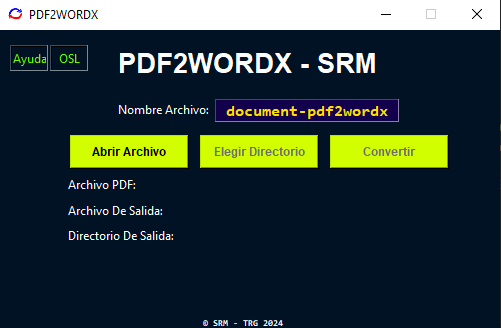
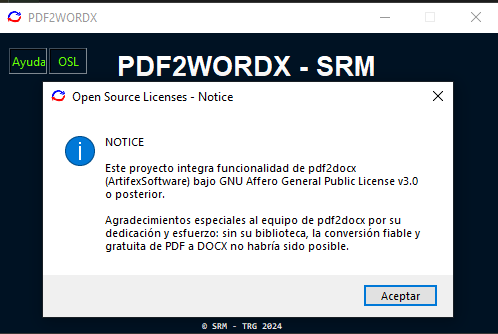
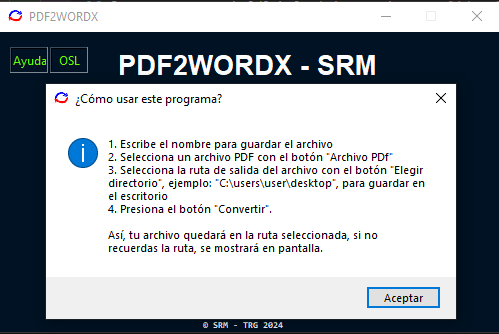
<!-- Sample conversion output -->
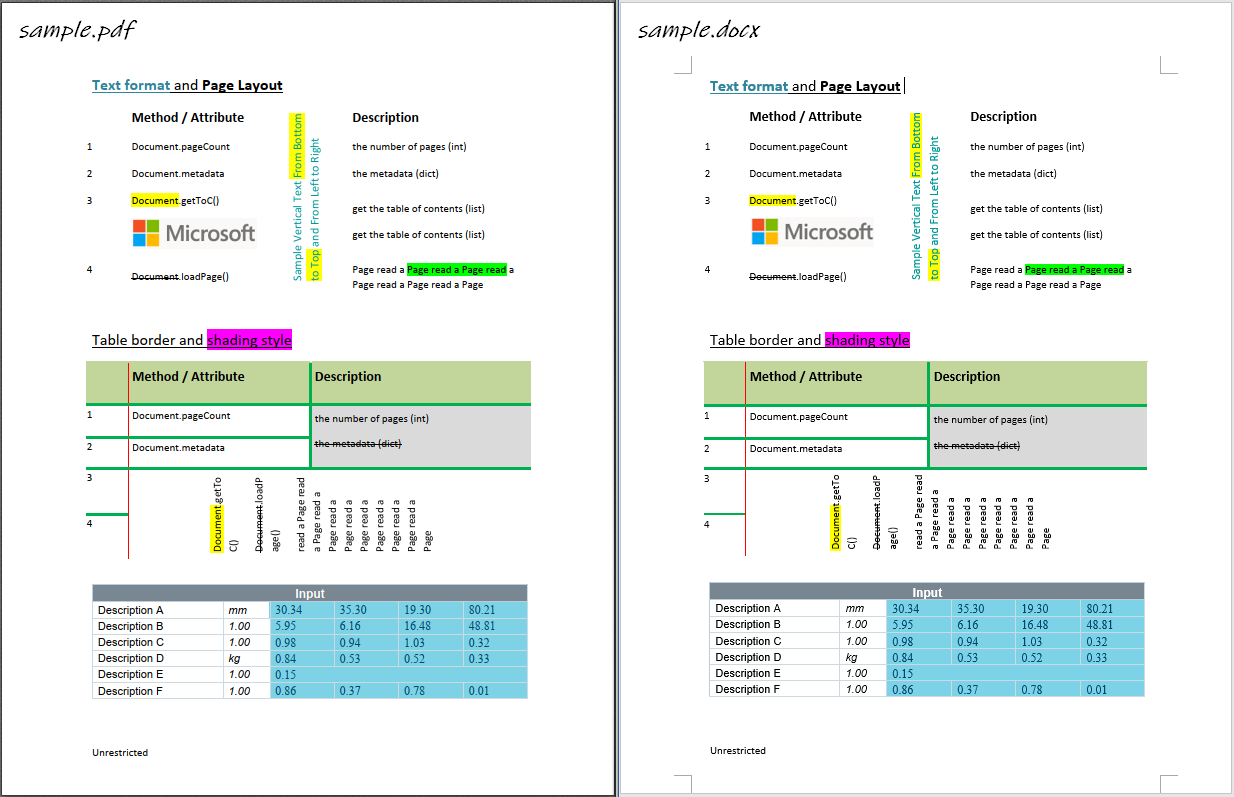
The screenshots in the v2.1.2-IMG folder use filenames prefixed pdf2wordx-v2.1.1- — this reflects the point at which those screenshots were captured during the release cycle. The folder name v2.1.2-IMG is the authoritative version indicator.
When writing a version history page, pair each version’s screenshots with its corresponding folder path. The three folder tiers — v1.0-Alpha, v2.0.0-IMG, and v2.1.2-IMG — map directly to the project’s main release milestones and make it easy to illustrate UI progression over time.
Full Asset Catalog
For a complete listing of every file available for pdf2wordx across all versions, see the pdf2wordx asset catalog.