
You can use the Permify Playground to create and test your authorization schema directly in a browser, with no local setup required. It lets you explore authorization models, add sample data, and run access check scenarios before writing a single line of application code. The playground has three main sections:Documentation Index
Fetch the complete documentation index at: https://mintlify.com/Permify/permify/llms.txt
Use this file to discover all available pages before exploring further.
Schema
Define your entities, relations, and permissions using Permify’s authorization language.
Authorization Data
Add sample relational tuples to simulate real-world authorization state.
Enforcement
Write YAML test scenarios and run access checks against your schema and data.
How to use the playground
Open the Playground
Navigate to play.permify.co. The playground loads with a default example schema so you can explore immediately without any configuration.
Define your schema
Write or modify your authorization model in the Schema section using Permify’s domain-specific language. You can define entities, relations between them, and permission rules.The default schema models a GitHub-like repository structure:This model defines two permissions on
repository: edit (allowed for organization admins or the repository owner) and delete (allowed only for the owner). The parent relation connects a repository to its owning organization.Schema changes are captured automatically and the other sections update accordingly. Some delays may occur at times.
Visualize your permission graph
The Visualizer renders your authorization structure as a graph. Use it to inspect relations between entities and verify that your permission rules connect the way you expect — without needing to run any queries.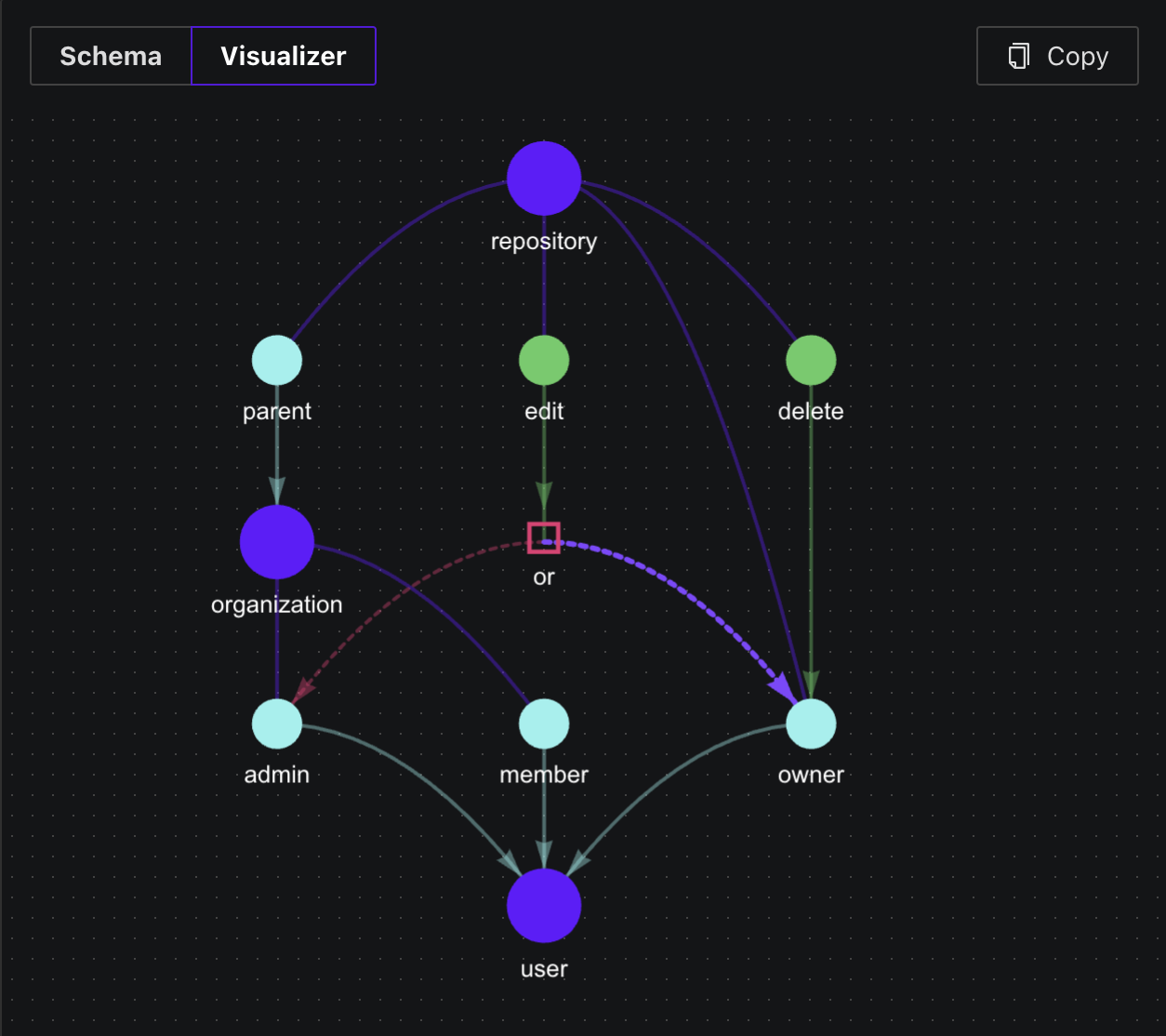
Add authorization data
In the Authorization Data section, create sample relational tuples to represent the state of your system. Tuples follow the format:For example, to make And to associate Click Add Relationship in the playground to fill in the entity, relation, and subject fields interactively.
user:1 an admin in organization:1:repository:1 with organization:1 as its parent:Run access check scenarios
The Enforcement section accepts a YAML scenario that defines the resources, subjects, and expected outcomes for your access checks.The following scenario tests whether entity — the resource being accessed (
user:1 (an admin of organization:1) can edit and delete repository:1:repository:1)subject — the actor performing the action (user:1)assertions — the expected result for each permission being testedSince organization:1 is the parent of repository:1 and user:1 is an admin of organization:1, the edit permission resolves to true (via parent.admin). Only owners can delete, so delete resolves to false.Click Run to execute the scenario. The playground reports whether each assertion passed or failed.For more complex scenarios, refer to the Creating Test Scenarios section in the Testing and Validation page.
VS Code extension
If you prefer to develop your authorization schema locally, the Permify VS Code extension adds syntax highlighting and IntelliSense for
.perm schema files. It brings the same schema editing experience to your local development environment.