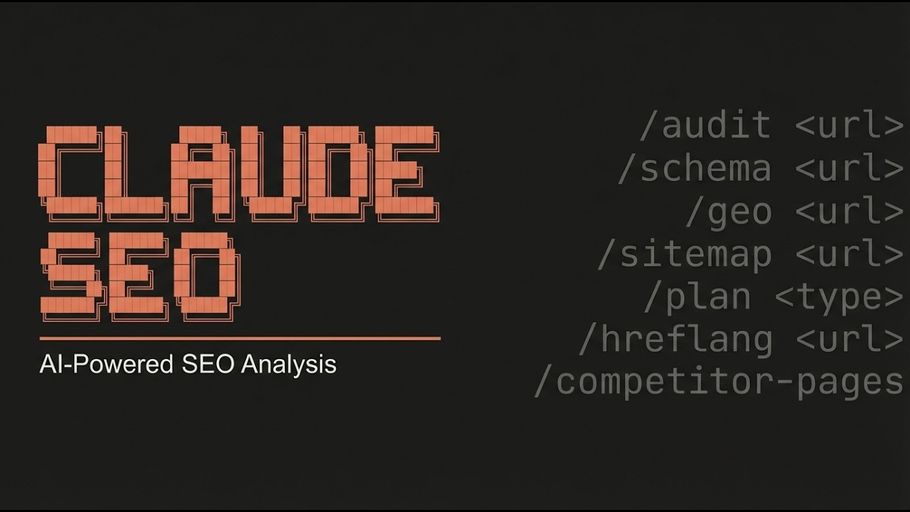
The Banana extension brings AI image generation into Claude SEO via the Claude Banana Creative Director pipeline, powered by Google Gemini. Instead of passing a raw description to an image model, Claude acts as a Creative Director: it analyzes your intent, selects the right domain mode and aspect ratio for the use case, and constructs an optimized prompt using a 6-component Reasoning Brief system before generation. The result is production-ready SEO images — OG/social previews, blog hero images, product photography, and infographics — with correct dimensions, appropriate style, and a post-generation SEO checklist covering alt text, file naming, WebP conversion, and schema markup.Documentation Index
Fetch the complete documentation index at: https://mintlify.com/AgricIDaniel/claude-seo/llms.txt
Use this file to discover all available pages before exploring further.
What Banana adds
- OG/social preview images — 1200×630 output at 1K resolution, professional and text-friendly
- Blog hero images — dramatic widescreen 16:9 at 2K resolution, editorial quality
- Product photography — clean white background studio shots at 2K resolution
- Infographics — vertical 2:3 layout at 4K resolution with structured data emphasis
- Batch generation — generate N variations of any use case in a single command
- Audit integration — during
/seo audit, a dedicated agent scans existing OG images and produces a prioritized generation plan (never auto-generates)
Prerequisites
- Claude SEO installed
- Node.js 18+
- A free Google AI API key from aistudio.google.com/apikey
- ImageMagick (optional, for post-processing: WebP conversion, cropping, background removal)
The Google AI free tier provides approximately 10 requests per minute and 500 requests per day. For most SEO image workflows this is sufficient. Rate limits reset at midnight Pacific time.
Installation
Run the installer
nanobanana-mcp server is not already configured, (3) installs the seo-image-gen skill and agent files, and (4) writes the MCP server entry to ~/.claude/settings.json.Commands
| Command | What it generates | Aspect ratio | Resolution | Approx. cost |
|---|---|---|---|---|
/seo image-gen og <description> | OG/social preview image | 16:9 | 1K | ~$0.04 |
/seo image-gen hero <description> | Blog hero image | 16:9 | 2K | ~$0.08 |
/seo image-gen product <description> | Product photography (white BG) | 4:3 | 2K | ~$0.08 |
/seo image-gen infographic <description> | Vertical infographic | 2:3 | 4K | ~$0.16 |
/seo image-gen custom <description> | Custom with full Creative Director pipeline | configurable | configurable | varies |
/seo image-gen batch <description> [N] | N variations of a use case (default: 3) | per use case | per use case | N × base cost |
Examples
The Creative Director pipeline
Claude never passes your raw text directly to the image API. For every generation it:- Identifies the use case and loads the matching preset (aspect ratio, resolution, domain mode)
- Constructs a Reasoning Brief using a 6-component system:
- Subject (30%) — physical specificity and micro-details
- Style (25%) — camera specs, film stock, brand references
- Context (15%) — location, time, weather, supporting elements
- Action (10%) — pose, gesture, movement, state
- Composition (10%) — shot type, framing, focal length
- Lighting (10%) — direction, quality, color temperature
- Generates via the
gemini_generate_imageMCP tool - Returns the image with a full SEO checklist
Post-generation SEO checklist
After every successful generation, the skill provides:- Alt text — a keyword-rich, descriptive suggestion
- File naming — SEO-friendly format:
keyword-description-widthxheight.webp - WebP conversion command:
- ImageObject schema snippet for structured data
- OG meta tags markup for social preview images:
IPTC TrainedAlgorithmicMedia metadata
AI-generated product images used in Google Merchant Center feeds must carry IPTCTrainedAlgorithmicMedia metadata to comply with Google’s policy on AI-generated product imagery. This IPTC field signals to automated systems — including Google’s feed validator — that an image was produced by a machine-learning model, enabling proper policy enforcement and preventing listing disapprovals.
The Banana extension’s post-processing pipeline can write this metadata tag via ImageMagick after generation:
/seo ecommerce on a site that uses AI-generated product images, the audit checks for the presence of this tag and flags any product images missing it as a compliance issue for Google Merchant Center.
Integration with /seo ecommerce
During a /seo ecommerce audit, the seo-image-gen agent (distinct from the interactive skill) runs as an analyst-only subagent. It:
- Audits all OG and social images across the site for quality, dimensions, and missing images
- Checks product images for
TrainedAlgorithmicMediaIPTC compliance - Produces a prioritized generation plan with prompt suggestions and cost estimates
- Does not auto-generate any images — the plan is for your review before you run
/seo image-gen
Uninstall
seo-image-gen skill and agent. If you also use the standalone Claude Banana skill, the nanobanana-mcp server configuration in settings.json is preserved.
Troubleshooting
| Symptom | Cause | Fix |
|---|---|---|
MCP tools not available | Server not loaded | Restart Claude Code; verify ~/.claude/settings.json has the nanobanana-mcp entry |
API key invalid | Wrong or revoked key | Generate a new key at aistudio.google.com/apikey; re-run the installer |
429 Rate Limited | Free tier RPM exceeded | Wait 60 seconds and retry; free tier: ~10 RPM, ~500 RPD |
IMAGE_SAFETY error | Safety filter triggered (often a false positive) | Claude suggests rephrased alternatives automatically |
| Images not appearing | Output directory not found | Default output dir: ~/Documents/nanobanana_generated/; check the path returned after generation |