Documentation Index
Fetch the complete documentation index at: https://mintlify.com/JagravNaik/bedrock-chat/llms.txt
Use this file to discover all available pages before exploring further.
What is Bedrock Chat?
Bedrock Chat (BrChat) is an enterprise-ready, multilingual generative AI chat platform powered by Amazon Bedrock. It enables organizations to deploy a fully-featured AI chat application with custom bot creation, knowledge base integration, and task automation capabilities.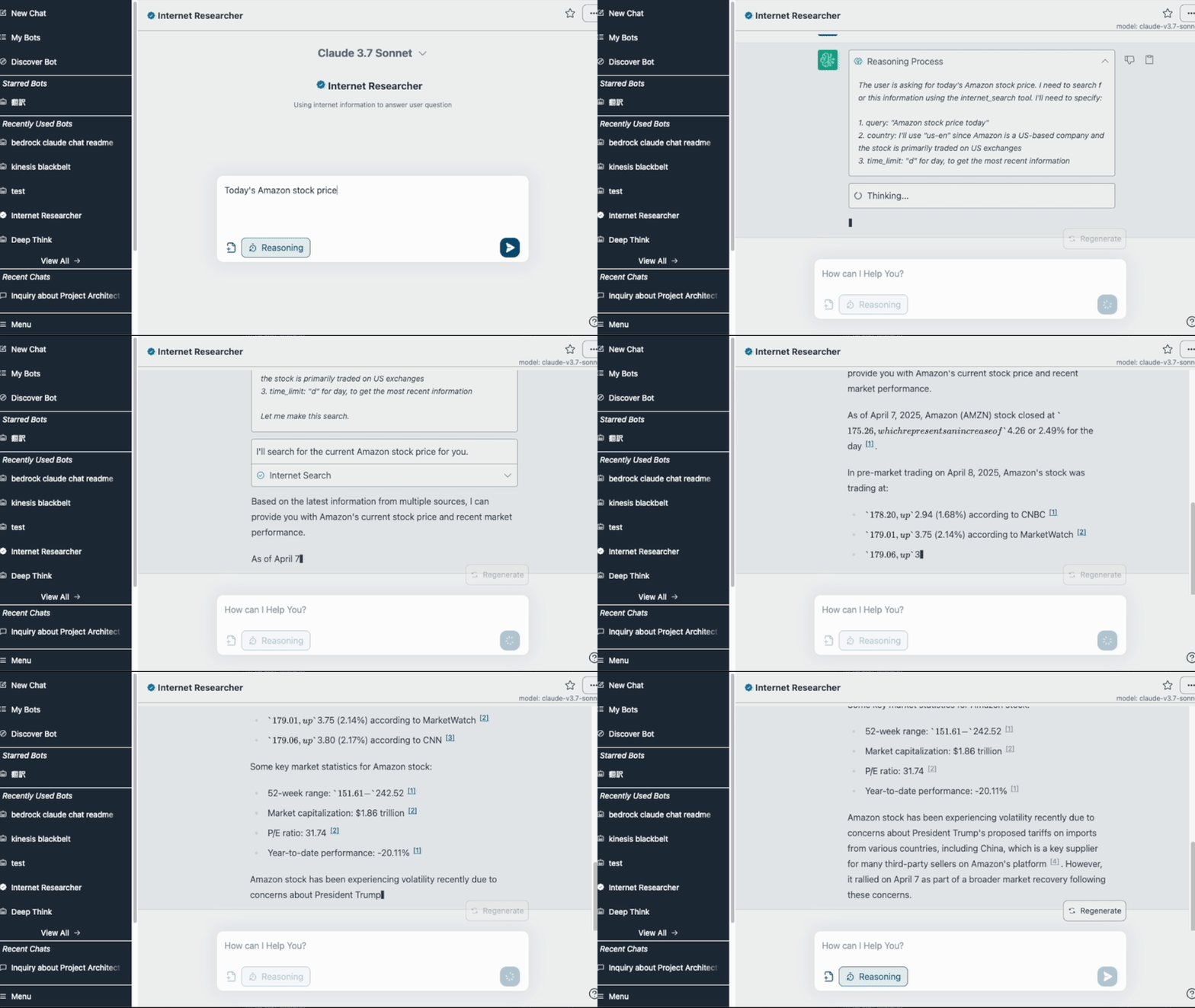
Key Features
Bedrock Chat provides a comprehensive set of features for building production-grade AI applications:Multi-Model Chat
Support for Claude, Amazon Nova, Llama, Mistral, and DeepSeek models via Amazon Bedrock API
Custom Bots with RAG
Create specialized bots with custom instructions and knowledge bases using Retrieval-Augmented Generation
Bot Store
Share and discover bots in a centralized marketplace with fine-grained permission controls
AI Agents
Automate complex tasks with ReAct agents that use tools and break down multi-step queries
API Publishing
Deploy custom bots as standalone REST APIs with dedicated endpoints and authentication
Admin Controls
Manage users, mark essential bots, analyze usage, and control API access
Bot Personalization
Create custom bots with your own instructions and knowledge using RAG (Retrieval-Augmented Generation). Bots can be shared among application users via the bot store marketplace and published as standalone APIs.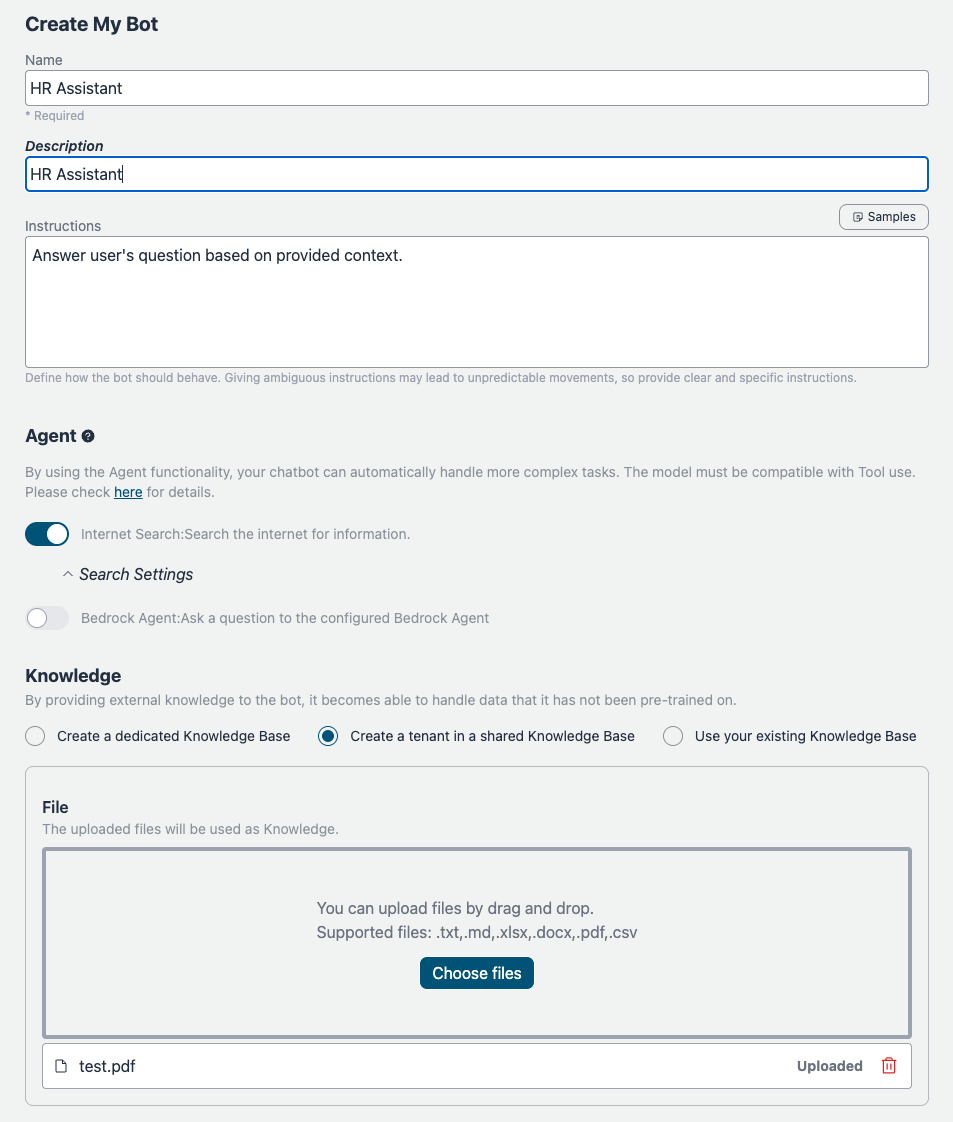
Multi-Tenant Knowledge Bases
Amazon Bedrock Knowledge Bases has a default limit of 100 Knowledge Bases per AWS account. Bedrock Chat supports multi-tenant mode, where a shared Knowledge Base is used across multiple bots with metadata-based filtering using Bot IDs. Newly created bots automatically use multi-tenant mode. To migrate existing bots:Administrative Features
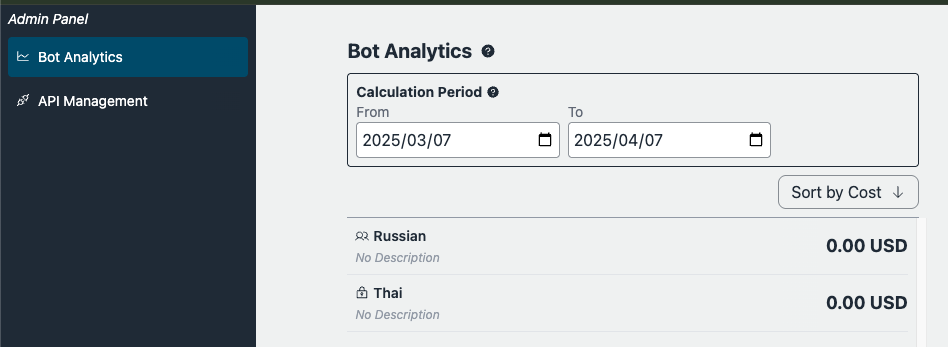
Bedrock Chat provides comprehensive administrative controls:- API Management: Create and manage published bot APIs
- Essential Bots: Mark important bots for organization-wide visibility
- Usage Analytics: Analyze chat and bot usage patterns
- User Management: Control permissions and group memberships
Agent Functionality
By using the Agent functionality, your chatbot can automatically handle complex tasks. Agents can retrieve information from external tools and break down tasks into multiple steps for processing.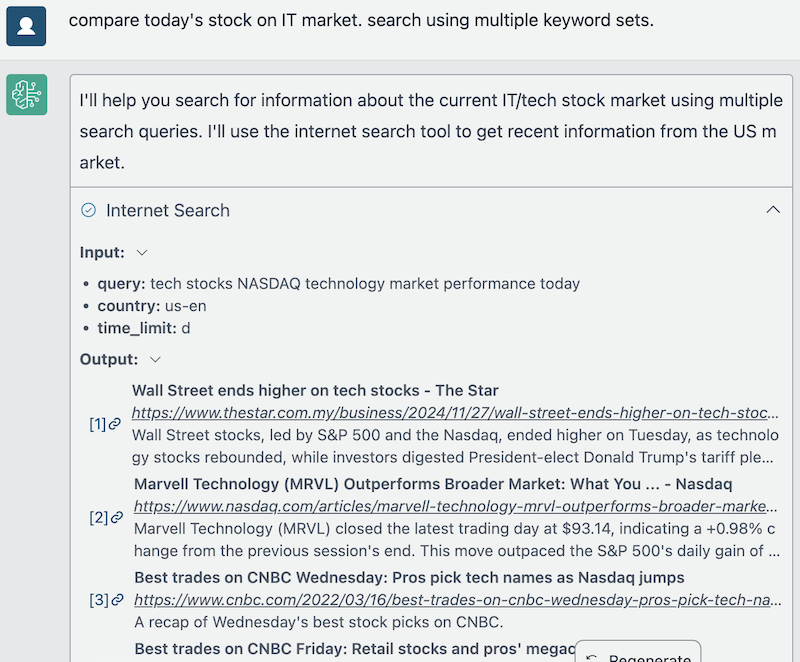 Learn more about agents in the documentation.
Supported Languages
Bedrock Chat supports 15+ languages with automatic detection:- English, Japanese (日本語), Korean (한국어), Chinese (中文)
- French (Français), German (Deutsch), Spanish (Español), Italian
- Norwegian (Norsk), Thai (ไทย), Indonesian, Malay, Vietnamese
- Polish (Polski), Portuguese (Português Brasil)
Why Choose Bedrock Chat?
Serverless & Scalable
Serverless & Scalable
Built on AWS managed services with no infrastructure to manage. Automatically scales with your usage.
Enterprise Security
Enterprise Security
Multiple authentication providers, IP restrictions via AWS WAF, data isolation with Amazon Cognito, and AWS IAM integration.
No External APIs
No External APIs
All AI model interactions happen through Amazon Bedrock within your AWS account. No data leaves AWS.
Cost Optimized
Cost Optimized
Multi-tenant knowledge bases, configurable replicas, and Lambda SnapStart reduce operational costs.
Customizable
Customizable
Configure models, branding, authentication providers, security policies, and deployment parameters.
Getting Started
Quick Deployment
Deploy Bedrock Chat to your AWS account in under 40 minutes using CloudShell
Architecture Overview
Learn about the AWS services and architecture patterns used in Bedrock Chat
AWS Workshop
Follow our comprehensive hands-on workshop to learn all features
CDK Deployment
Advanced deployment with AWS CDK for custom configurations
Version 3.x Notice
Next Steps
Deploy Bedrock Chat
Follow our quickstart guide to deploy Bedrock Chat to your AWS account
Configure security
Set up authentication and security policies
Create custom bots
Learn how to create custom bots with knowledge bases
Explore advanced features
Try agents and API publishing