Documentation Index
Fetch the complete documentation index at: https://mintlify.com/JagravNaik/bedrock-chat/llms.txt
Use this file to discover all available pages before exploring further.
Bedrock Chat Workshop
The official AWS workshop provides comprehensive, hands-on training for Bedrock Chat. Learn how to deploy, configure, and use all features through guided exercises.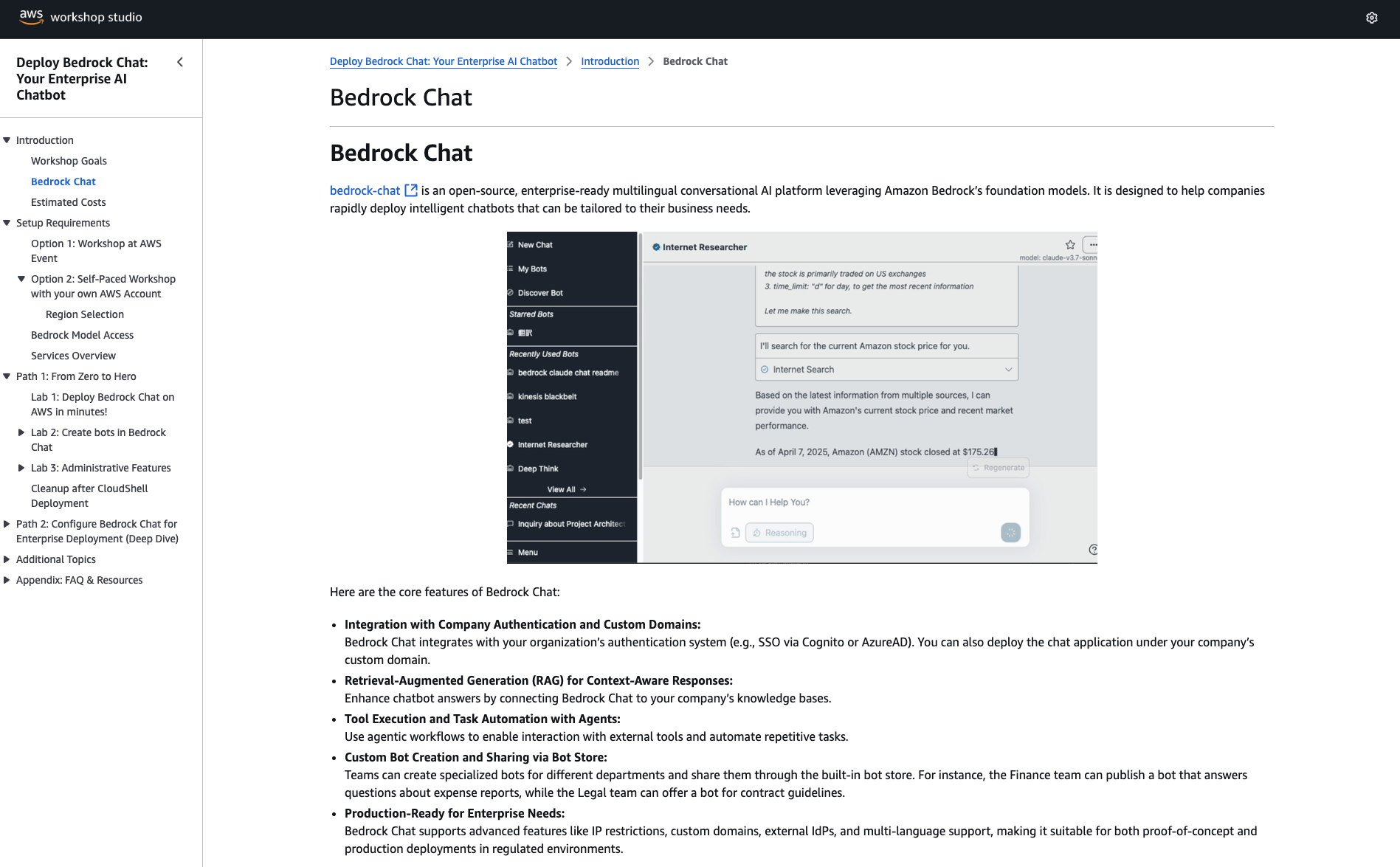
Access the Workshop
The workshop is hosted on AWS Workshop Studio:Bedrock Chat Workshop
Access the full hands-on workshop with step-by-step instructions, sample datasets, and exercises
Workshop Overview
The workshop covers the complete Bedrock Chat experience:Module 1: Deployment
Prerequisites
- Set up AWS account and credentials
- Enable Bedrock model access
- Choose deployment region
Deploy Bedrock Chat
- Use CloudShell deployment script
- Configure security parameters
- Verify deployment success
Module 2: Basic Chat Features
Multi-Model Chat
Multi-Model Chat
Learn to:
- Select different AI models (Claude, Nova, Llama)
- Compare model responses
- Understand token usage and costs
- Use conversation history
Advanced Chat Features
Advanced Chat Features
Explore:
- Markdown formatting in responses
- Code syntax highlighting
- LaTeX math rendering
- Mermaid diagram generation
- Conversation management
Module 3: Custom Bots with RAG
Create Your First Bot
- Configure bot personality and instructions
- Set bot visibility (private/public/shared)
- Test basic bot responses
Add Knowledge Base
- Upload documents (PDF, TXT, DOCX)
- Configure embedding settings
- Wait for synchronization
- Test RAG queries
Module 4: Bot Store & Sharing
Publishing Bots
Publishing Bots
Learn to:
- Publish bots to the bot store
- Configure bot permissions (view, use, edit)
- Add bot descriptions and categories
- Manage bot versions
Discovering Bots
Discovering Bots
Explore:
- Search the bot store
- Filter by categories
- Try shared bots
- Rate and review bots
Fine-Grained Permissions
Fine-Grained Permissions
Configure:
- Public vs. private bots
- User-specific sharing
- Group-based access
- Admin controls
Module 5: AI Agents
Understanding Agents
- Learn ReAct (Reasoning + Acting) pattern
- Understand tool usage
- Multi-step task decomposition
Module 6: API Publishing
Publish Bot as API
Publish Bot as API
Steps:
- Select a custom bot
- Click “Publish API”
- Configure API settings
- Wait for CloudFormation stack creation
- Receive API endpoint and key
API Usage
API Usage
Learn to:
- Authenticate with API key
- Make REST API calls
- Handle streaming responses
- Monitor API usage
- Configure rate limits
API Security
API Security
Configure:
- IP allowlists via WAF
- API key rotation
- Usage quotas
- CloudWatch monitoring
Module 7: Administration
User Management
- Create users in Cognito
- Assign users to groups
- Configure group permissions
- Manage user lifecycle
Bot Management
- Mark bots as essential
- Monitor bot usage
- Delete unused bots
- Export bot configurations
Module 8: Advanced Topics
Multi-Environment Deployment
Multi-Environment Deployment
Learn to:
- Use
parameter.tsfor environment configs - Deploy dev, staging, prod environments
- Manage environment-specific settings
- Tag resources by environment
Custom Identity Providers
Custom Identity Providers
Configure:
- Google authentication
- Custom OIDC providers
- SAML integration
- User attribute mapping
Custom Domains
Custom Domains
Set up:
- Route 53 hosted zone
- ACM certificate
- CloudFront alternate domain
- DNS records
Cost Optimization
Cost Optimization
Strategies:
- Multi-tenant Knowledge Bases
- Disable replicas for dev
- Use cheaper models for titles
- Monitor Bedrock token usage
Workshop Features
Self-Paced
Complete the workshop at your own pace with no time limits
AWS Account Provided
Workshop Studio provides temporary AWS account (optional)
Sample Data
Pre-configured datasets and documents for exercises
Guided Instructions
Step-by-step instructions with screenshots and code samples
Best Practices
Learn production deployment patterns and security guidelines
Troubleshooting
Common issues and solutions provided throughout
Prerequisites
Before starting the workshop:AWS Knowledge
- Understanding of AWS console navigation
- Basic knowledge of IAM roles and permissions
- Familiarity with CloudFormation (helpful)
Technical Skills
- Basic command-line usage
- Text editor usage
- Web browser (Chrome, Firefox, Safari, Edge)
- JSON/YAML understanding (helpful)
AWS Account Requirements
Workshop Duration
| Module | Estimated Time |
|---|---|
| Module 1: Deployment | 45 minutes |
| Module 2: Basic Chat | 30 minutes |
| Module 3: Custom Bots | 45 minutes |
| Module 4: Bot Store | 30 minutes |
| Module 5: AI Agents | 30 minutes |
| Module 6: API Publishing | 30 minutes |
| Module 7: Administration | 30 minutes |
| Module 8: Advanced Topics | 60 minutes |
| Total | 4-5 hours |
You can complete modules independently and skip sections if you’re already familiar with certain topics.
After the Workshop
Next Steps
Deploy to Production
Apply what you learned to deploy Bedrock Chat in your organization with proper security configurations.
Customize
Explore configuration options in Configuration to match your brand and requirements.
Develop Custom Tools
Create custom agent tools for your specific use cases. See Custom Tools.
Contribute
Consider contributing improvements back to the project. See Contributing.
Additional Resources
Documentation
Complete Bedrock Chat documentation
GitHub Repository
Source code and issue tracking
AWS Bedrock Docs
Official Amazon Bedrock documentation
Community
GitHub Discussions for questions and ideas
Workshop Support
During the Workshop
- In-Person Workshops: Ask instructors for help
- Self-Service: Use the built-in help and troubleshooting sections
- AWS Support: Contact AWS Support if using Workshop Studio account
After the Workshop
Documentation
Documentation
Refer to this documentation site for detailed reference information.
GitHub Issues
GitHub Issues
Report bugs or request features at GitHub Issues.
GitHub Discussions
GitHub Discussions
Ask questions and share experiences at GitHub Discussions.
AWS Support
AWS Support
For production deployments, use your AWS Support plan.
Clean Up
After completing the workshop, clean up resources to avoid charges:- Navigate to CloudFormation console
- Delete stacks in the order listed above
- Wait for each stack to fully delete before deleting the next
- Verify all S3 buckets are deleted (some may require manual deletion)
Feedback
Help improve the workshop:Provide Feedback
Share your workshop experience, suggestions, or report issues
Ready to Start?
Launch the Workshop
Begin your Bedrock Chat learning journey with hands-on exercises