This example demonstrates how to use the LFM2-Audio-1.5B model with llama.cpp to transcribe audio files locally in real-time. When you combine the efficiency of llama.cpp with the power of a small audio model like LFM2-Audio-1.5B, you can build real-time applications that run on smartphones, self-driving cars, smart home devices without internet connection or any other cloud service dependencies.Documentation Index
Fetch the complete documentation index at: https://mintlify.com/Liquid4All/cookbook/llms.txt
Use this file to discover all available pages before exploring further.
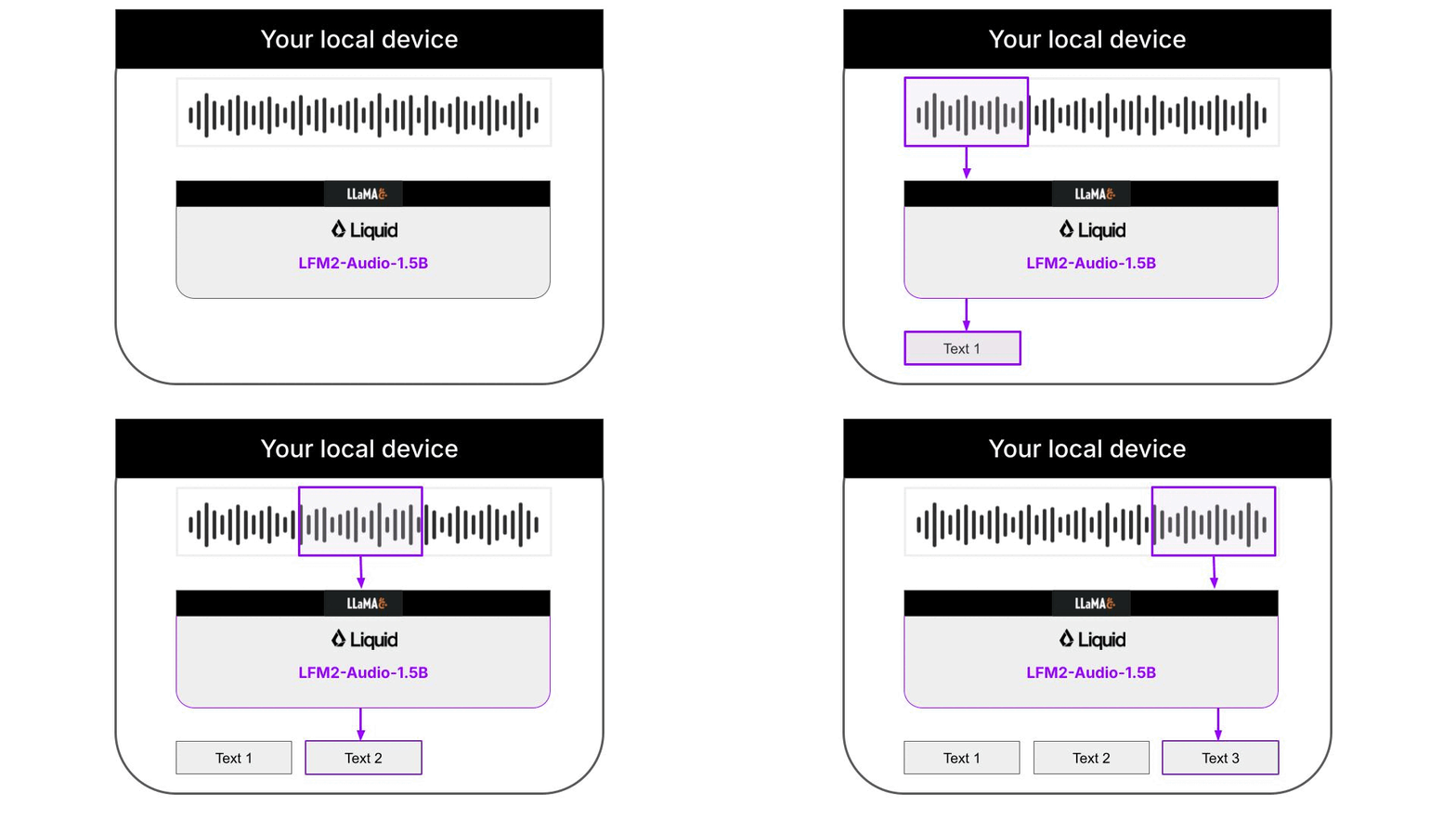
What you’ll learn
Intelligent audio assistants on the edge are possible, and this repository is just one example of how to build one.Quick start
Understanding the architecture
This example is a 100% local audio-to-text transcription CLI that runs on your machine thanks to llama.cpp. Neither input audios nor output text are sent to any server. Everything runs on your machine. The Python code downloads the necessary llama.cpp builds for your platform automatically, so you don’t need to worry about it. Audio support in llama.cpp is still quite experimental, and not fully integrated on the main branch of the llama.cpp project. Because of this, the Liquid AI team has released specialized llama.cpp builds that support the LFM2-Audio-1.5B model.Supported platformsThe following platforms are currently supported:
- android-arm64
- macos-arm64
- ubuntu-arm64
- ubuntu-x64
llama.cpp support for audio models
llama.cpp is a super fast and lightweight open-source inference engine for Language Models. It is written in C++ and can be used to run LLMs on your local machine. Our Python CLI uses llama.cpp under the hood to deliver fast transcriptions, instead of using either PyTorch or the higher-leveltransformers library.
The examples.sh script contains 3 examples on how to run inference with LFM2-Audio-1.5 for 3 common use cases:
Audio to text transcription (ASR)
Audio to text transcription (ASR)
Text to speech (TTS)
Text to speech (TTS)
Text to speech with voice instructions
Text to speech with voice instructions
Further improvements
The decoded text is not perfect, due to overlapping chunks and partial sentences that are grammatically incorrect. To improve the transcription, we can use a text cleaning model in a local 2-step workflow for real-time audio to speech recognition:- LFM2-Audio-1.5B for audio to text extraction
- LFM2-350M for text cleaning