This example is a 100% local meeting summarization tool that runs on your machine usingDocumentation Index
Fetch the complete documentation index at: https://mintlify.com/Liquid4All/cookbook/llms.txt
Use this file to discover all available pages before exploring further.
LiquidAI/LFM2-2.6B-Transcript, a small language model specialized in summarizing meeting transcripts, powered by llama.cpp for fast inference.
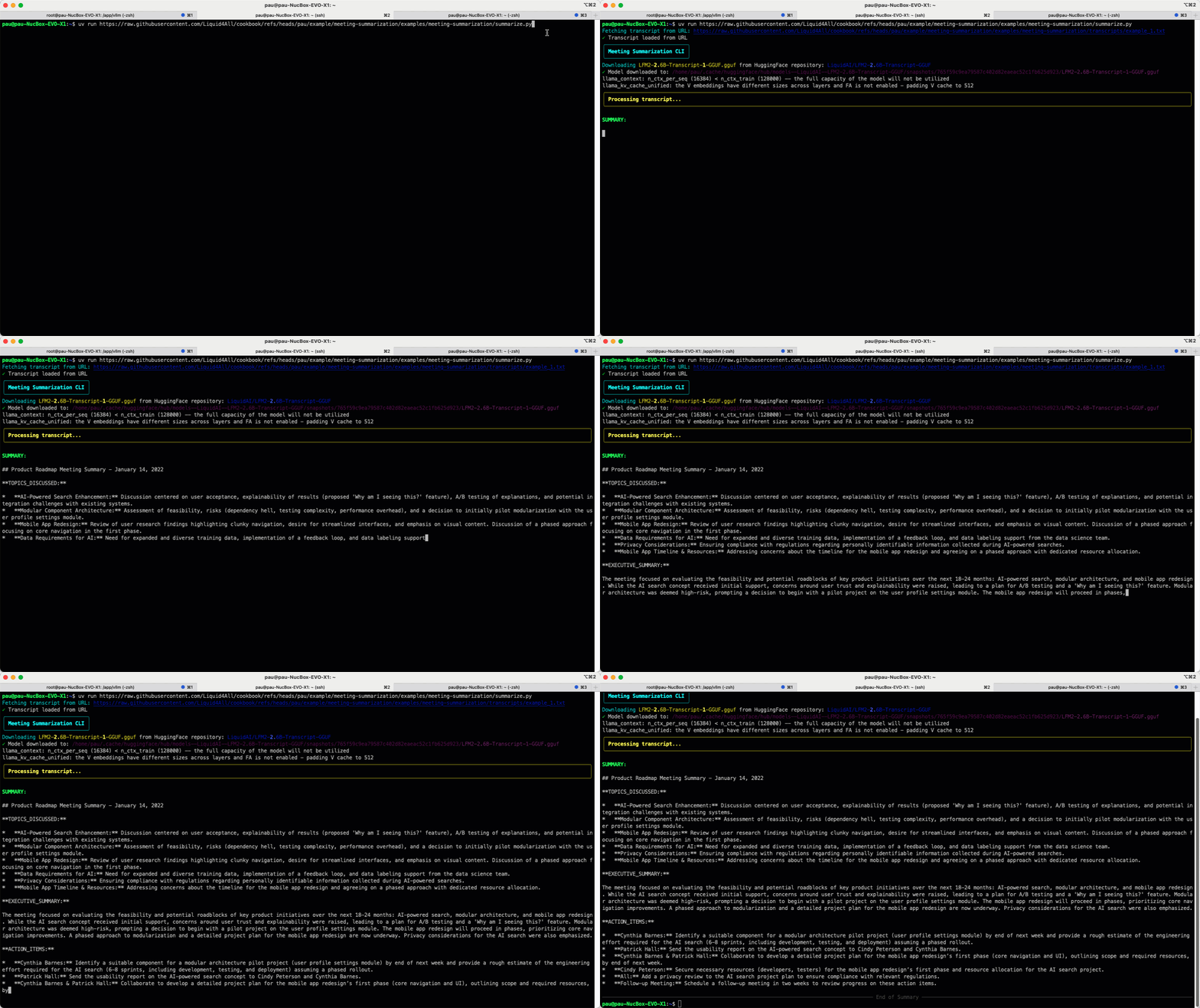
What it does
This tool provides a simple CLI to summarize meeting transcripts locally:- Processes meeting transcripts without sending data to any cloud service
- Uses a specialized 2.6B parameter model optimized for meeting summaries
- Streams tokens in real-time so you can see the summary being generated
- Can be piped with an audio transcription model for a complete audio-to-summary pipeline
Prerequisites
Install uv
If you don’t have
uv installed, follow the installation instructions.- macOS/Linux
- Windows
Quick start
Run with default transcript
Run the tool without cloning the repository using a This uses the default example transcript.
uv run one-liner:Use a custom transcript
Pass a different transcript file using the
--transcript-file argument (supports local files or HTTP/HTTPS URLs):How it works
The CLI uses llama.cpp Python bindings to automatically download and build the llama.cpp binary optimized for your platform:The llama.cpp binary is automatically built and optimized for your platform during the first run, so no manual setup is required.
Next steps
Build a complete 2-step pipeline:- Use an audio transcription model to convert meeting audio to text
- Pipe the transcript into this summarization tool